
Capturing & editing
How to combine short video clips into one finished video
A practical way to capture a handful of related moments and turn them into a video that feels complete.
Most moments worth keeping happen before you think to film them: the dog circling the water before finally jumping in, flour across the bench halfway through making pasta, a band finally making it through a new song, the last train pulling away. You might take a photo, or simply let the moment pass. Learning to capture and combine short video clips begins with noticing those moments differently.
You do not need to film everything or plan a production. Choose one small story, record a few seconds as it unfolds, and let the order of those moments provide most of the structure.
The result does not need to be a polished film. It only needs to bring the feeling of an experience back.
Start with one small story
A video is easier to capture when it has a natural boundary. It could be the hour before guests arrive, a child learning to ride, a storm interrupting a walk, a band trying to get one song right, or a market stall going from boxes to open.
You do not need to decide on a beginning, middle, and end before anything has happened. Simply notice which moments belong to the same experience. The dog hesitating at the water and finally charging in belong together because something changed. Boxes on the ground, handwritten price cards, and the awning going up belong together because they show a market stall opening.
Keeping the story small also removes the pressure to record everything. You are not trying to document an entire trip or explain a whole project in one go. You are collecting enough fragments to remember what this part of it felt like.
Capture a few seconds, not the whole event
Long recordings can feel thorough, but they often create more material to sort through later. Short clips make it easier to notice a moment, capture it, and return your attention to what is happening.
One, two, or three seconds is a useful starting point. A detail may need only a second. A gesture, expression, or piece of movement may need two or three. If something genuinely needs longer, let it run—but begin by asking what the smallest meaningful part might be.
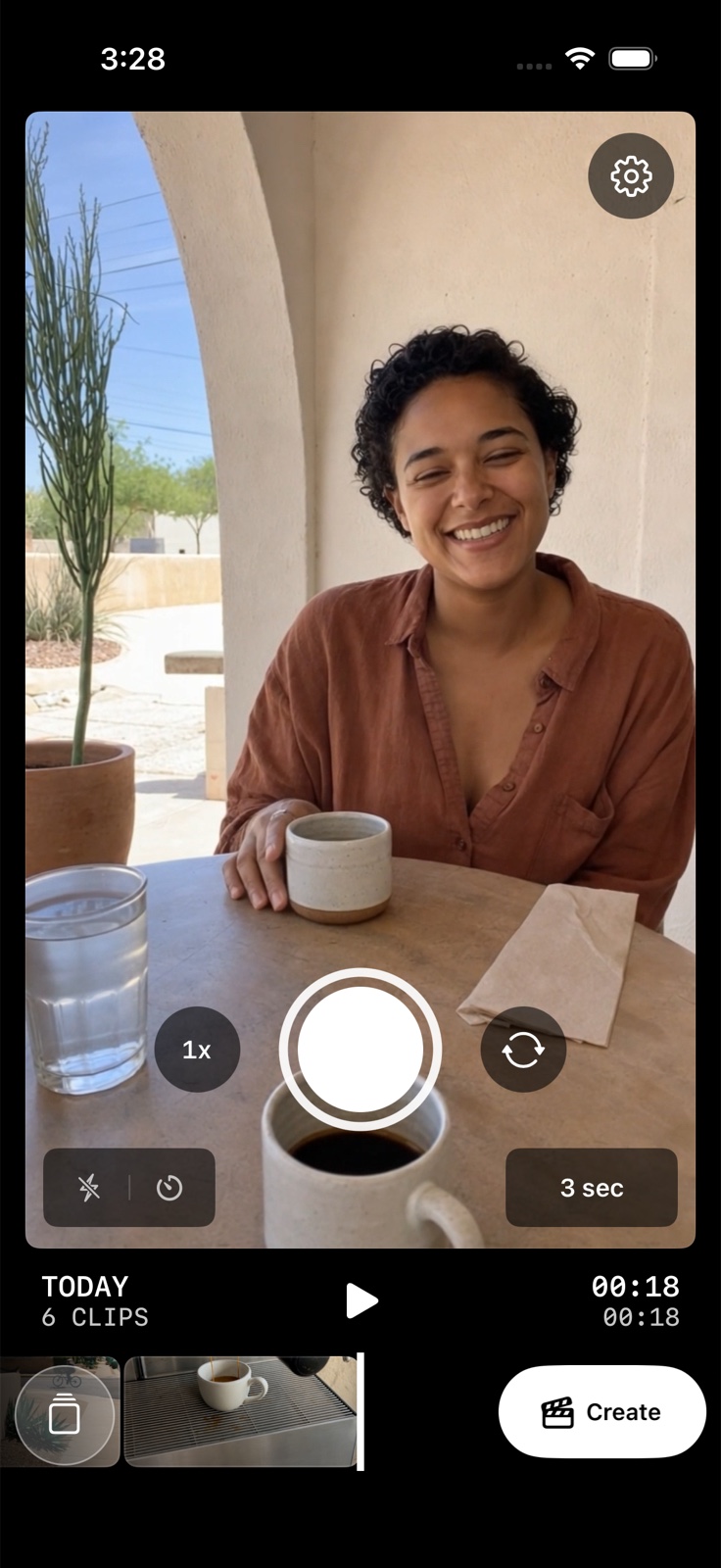
Look for a little variety:
- A wider view that shows where you are
- A close detail you might otherwise forget
- Something or someone in motion
- A face, hand, or point of view
- A moment that signals the experience is ending
None of these clips needs to be perfectly framed. A little movement or imperfection can make the finished video feel more like the experience itself.
Try this simple six-clip pattern
If you are unsure what to capture, this pattern can provide a gentle prompt:
- Where you areA street, room, landscape, table, or workspace
- One small detailLight, food, texture, tools, or something being held
- Something happeningArriving, pouring, walking, laughing, or making
- A human point of viewA face, a hand, a reflection, or what you can see
- A changeSomething completed, moved, opened, revealed, or unexpected
- A natural endingAn empty table, the journey home, the lights going down, or the finished piece
Imagine moving day: keys turning in the new door, an empty room, boxes climbing the stairs, a sofa briefly stuck in the doorway, takeaway eaten on the floor, and the last box being flattened. Played in that order, the clips give the viewer a place, a small struggle, and an ending without needing an explanation.
Six is not a requirement. Four well-chosen clips may be plenty. A busier event may offer more. The pattern is simply a way to notice different parts of an experience rather than filming the same kind of shot repeatedly.
Let sequence do most of the storytelling
The simplest way to join video clips is usually to keep them in roughly the order they happened. Chronology gives the viewer an immediate path through the moments: you arrived, something happened, and then the experience changed or ended.
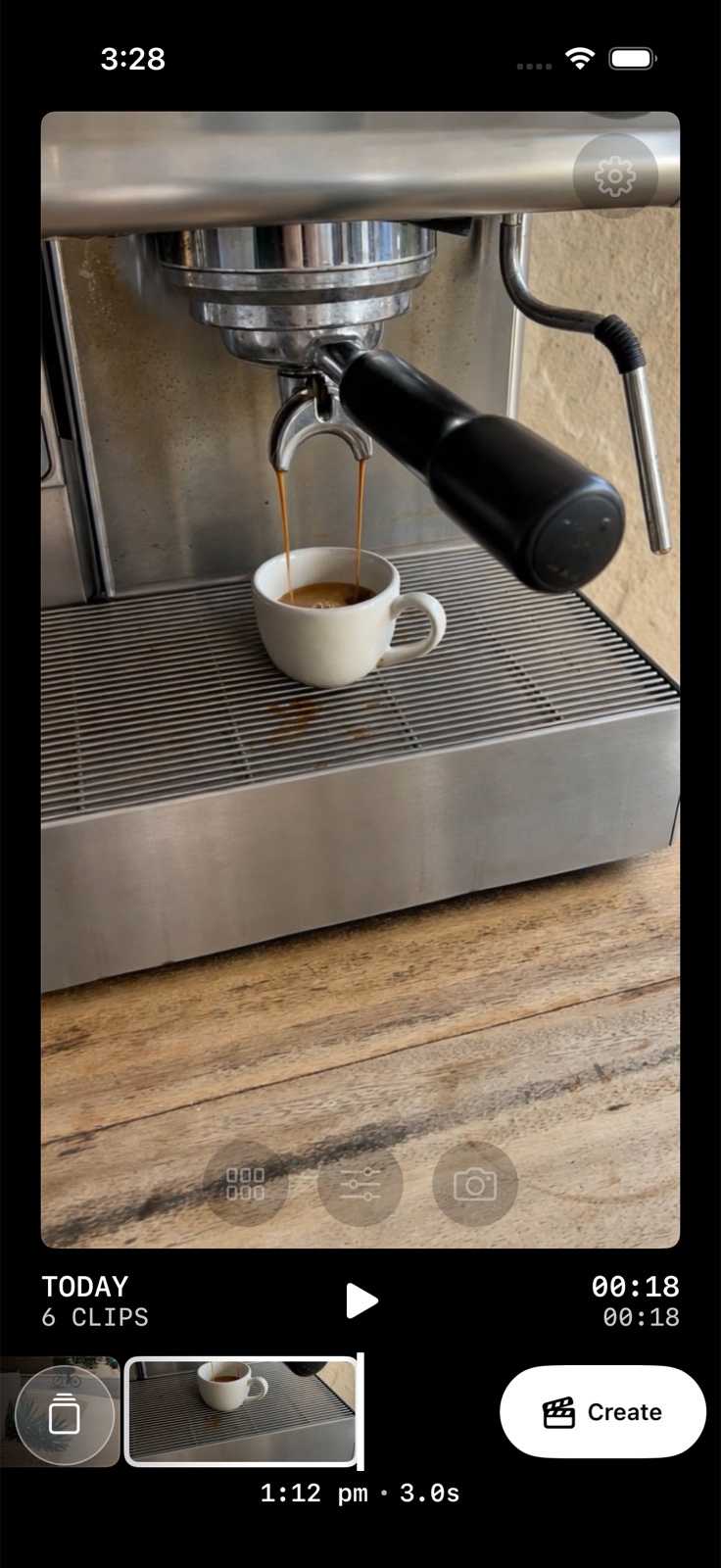
When reviewing the sequence, notice whether every clip adds something new. Two similar wide views may slow the video down, while a wide view followed by a small detail can make the place feel more vivid.
You can also look for a natural rhythm between stillness and movement. An empty room may sit well before boxes start coming through the door. A close detail, like keys on the floor or torn packing tape, can give the viewer a pause after a faster moment. You do not need to calculate this; watch the clips together and notice where your attention drifts.
Make only the edits that help
Editing can remain light. The goal is not to transform the footage into something unrecognisable. It is to remove the small things that get in the way of watching it.
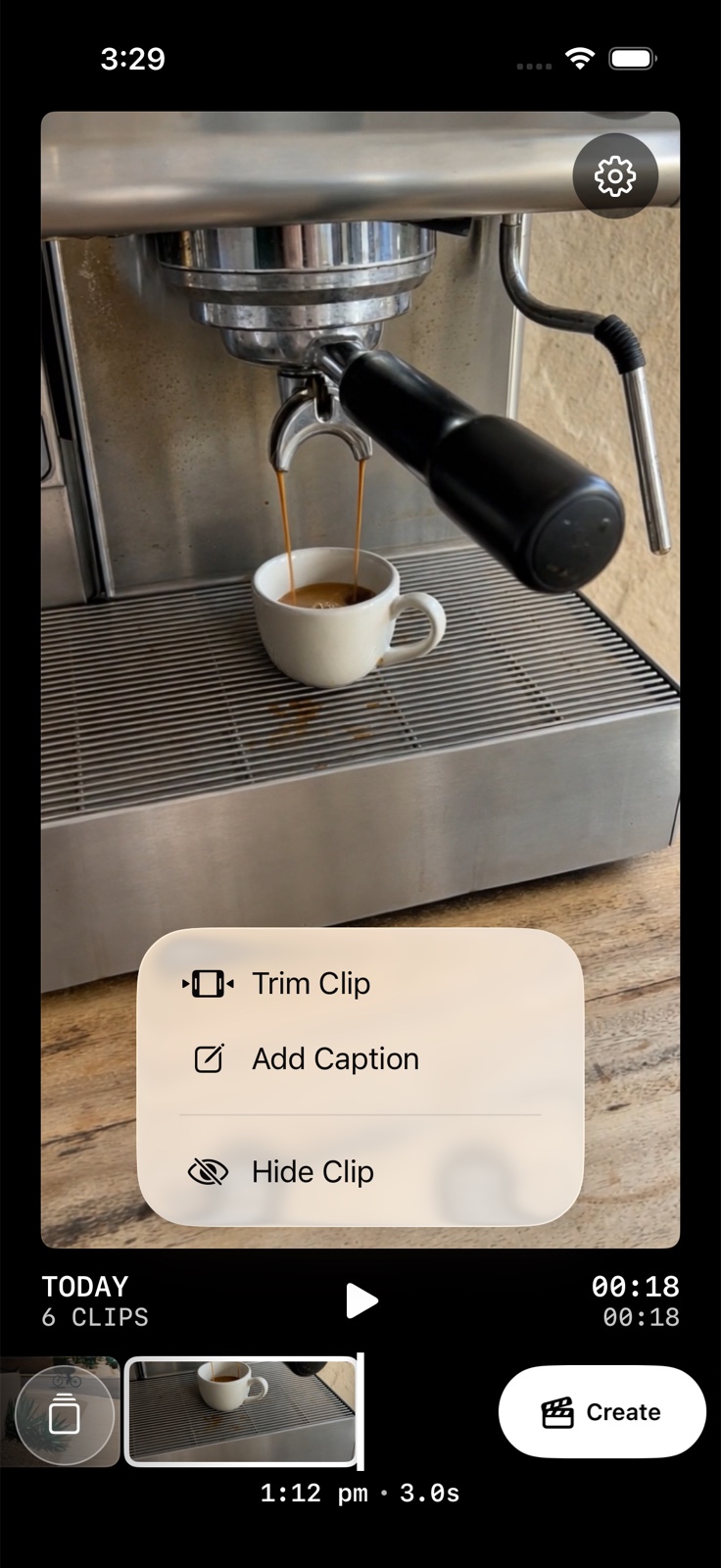
- Remove repeated clips or moments that no longer feel relevant.
- Trim an awkward movement at the beginning or end.
- Add a short caption when the place, date, or context matters.
- Keep the original sound when it adds atmosphere; leave it out when it distracts.
- Watch the sequence once from beginning to end before changing anything else.
If the video already brings the experience back, it may be finished. More effects, transitions, and text will not necessarily make the story clearer.
A quieter workflow
How String brings short clips together
String is designed around this way of capturing. Instead of recording long videos and beginning with an empty editing timeline, you capture one-, two-, or three-second clips as moments happen. String keeps those clips in order and plays them together as one video.
When you are ready, you can choose which clips belong, trim or hide them, add captions, select a visual treatment, and export the finished result. It sits between the camera roll and a traditional video editor: there is room to make the video yours, without turning it into a production.
There is no account required. Your clips remain on your iPhone, and you decide whether the finished video is something to keep, send to someone, or share.
A finished story can begin with a few seconds
You do not need to film an entire experience to remember it well. Begin with one small story. Capture a few seconds when something catches your attention. Keep the moments in order, remove only what does not belong, and let the finished video remain simple.
Those small fragments can become more than separate clips. Together, they can hold the feeling of where you were, what you noticed, and what happened along the way.